Clinch shows shoppers a single-use offer on what they were viewing, just as they're about to leave. Every recovered sale is tied to a real Shopify order ID. No email flow required.
✓Free plan: 10% of attributed revenue, $0 otherwise✓Set it once, nothing to maintain✓Desktop and mobile
Move your cursor to leave this page and Clinch will introduce itself. Scroll down, then swipe up fast, and Clinch will introduce itself.
Recovery flows only reach shoppers who made it to checkout and typed in an address. Everyone else leaves with no email, no cart, and nothing to follow up on.
Clinch works in that window: the last second before the tab closes, while the shopper is still on your site. Email recovers a sale after it's lost. Clinch saves it before it is.
Illustrative split for a typical store. Your dashboard reports your real numbers.
You pick one thing: a discount or free shipping. Clinch reads your catalog to suggest a starting point and pulls your brand color from your theme. That is the entire setup.
The cursor breaks for the top, or a fast scroll up on mobile. Never on a product already on sale.
“Still thinking about the Air Max 90?” — not “10% off everything.” A single-use code with a real expiry.
Shopify’s webhook fires, Clinch matches the code, and the sale appears in your dashboard with its order ID.
Recovery apps are easy to believe and hard to verify. Clinch reports the whole funnel, what the discounts cost you, and what its own fee was. Then it goes further than any of them.
You see Clinch working from day one, before the first sale lands.
| Attributed revenue | $14,208 |
| Discounts shoppers redeemed | $1,578 |
| Clinch fee | $426 |
| Revenue after Clinch fee | $13,782 |
Clinch is the only app that shows you its own cost next to the revenue it earned.
An order ID proves a code was used. It does not prove the offer caused the sale. So Clinch stays silent for a small, random share of leaving shoppers and tracks whether they bought regardless. Then it shows you both numbers side by side.
A low lift is useful too: it tells you where you are giving away margin you did not need to. And until both groups are large enough to tell a real difference from chance, Clinch shows no lift at all rather than an encouraging one.
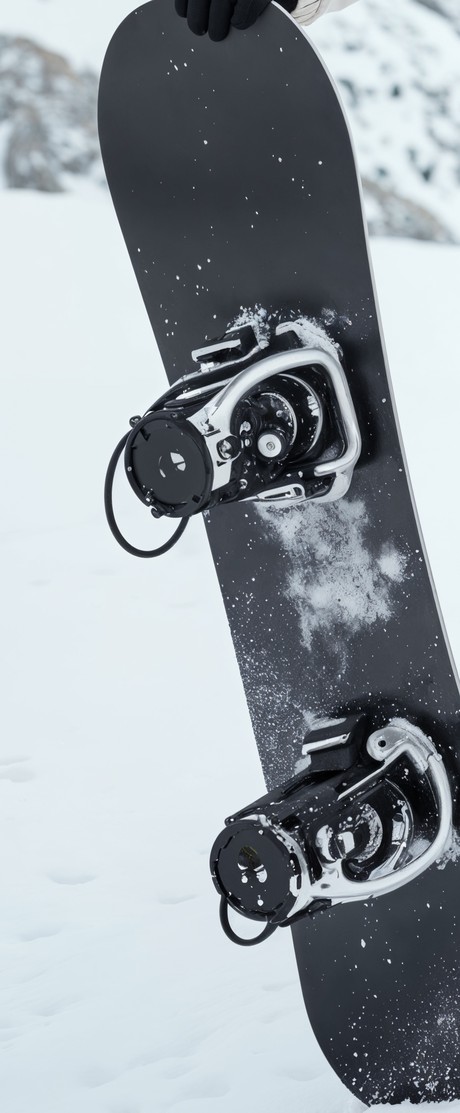
Shown on The Collection Snowboard · claimed 2 min later · order 23 min after the code · Mobile · from Instagram · Canada
Blast the same 10% off to everyone and shoppers learn to wait for it. Your margin erodes and your customers game you.
Clinch never repeats itself. Every code belongs to one shopper and one session, expires on a visible countdown, and only appears when someone is actually leaving. Buyers heading to checkout pay full price.
That is also why attribution works: one code, one shopper, one order.
Keep your flows running. Klaviyo grows your list. Clinch grows your orders. The two stack cleanly.
Clinch is free to install and priced on the same number your dashboard shows: attributed revenue, backed by order IDs. Plans scale with results, never with your traffic.
| Attributed in a month | Free | Pro | Growth |
|---|---|---|---|
| $200 | $20 | $35 | $99 |
| $1,000 | $100 | $59 | $99 |
| $2,500 | $250 | $104 | $99 |
| $10,000 | $1,000 | $329 | $99 |
Cheapest plan highlighted. Clinch tells you inside the app when you cross one of these lines, rather than leaving the meter running.
What the fee applies to: the discounted total the customer actually paid, after your discount came off, on an order that used a Clinch code. Never the pre-discount price, and never your total store revenue. A refunded order is credited back.
First 30 days, 0% fee, any plan. The clock starts the day you turn the popup on, not the day you install, so it doesn't run out while you're still setting up.
No logos on this page. Clinch launched this year. In two weeks your own dashboard is the case study, order IDs included, and if Clinch recovers nothing you pay nothing. The pricing is the testimonial. Early merchants get a direct line to the founder: me@hectorguedea.com
We won't quote you a percentage. Clinch is new, and any number we gave you would be invented. What Clinch guarantees is the accounting: everything it attributes shows up order ID by order ID, in dollars, and nothing else does.
You can do the arithmetic yourself, though. It runs: sessions that leave without buying, times the share where an exit signal fires, times the share of those who take the offer, times the share who then order. Only the first number is yours to know today. The middle two Clinch will show you within days of installing, well before the last one matters, which is why the funnel is on the dashboard from day one rather than only after the first sale.
One honest caveat on the size of the prize: a large share of people who leave a store were never going to buy anything, from anyone. No offer converts them. Clinch is aimed at the ones who were close.
Yes, and it is worth being precise about how. On desktop the signal is unambiguous: the cursor crosses the top edge of the window. Phones have no cursor, so Clinch infers the moment from behaviour instead, mainly the fast upward scroll a shopper makes just before leaving.
Inferring is less certain than observing. Some of those shoppers were not leaving, and Clinch reports that against itself: Analytics breaks results down by signal and shows how often each one is dismissed within two seconds, which is the closest measure of having misread someone. If a signal is interrupting more than it recovers, turn it off in Settings. We would rather you did that than keep an impression count we cannot defend.
None, by design. You pick your offer once (a discount % or free shipping); from then on Clinch generates every offer, every unique code, and every expiry countdown on its own, and logs each recovery as Shopify confirms the order.
No flows to build, no segments to maintain, no campaigns to schedule. The dashboard is for checking the number, not operating the tool.
Clinch loads asynchronously after your page renders and stays idle until an exit signal fires. It adds no blocking scripts to the critical path, and it ships as a native Shopify Theme App Extension, the mechanism Shopify built for exactly this. Storefront speed is a design constraint, not an afterthought.
No, they run on a different visitor surface. Klaviyo and Postscript do their best work after a shopper identifies themselves: enters an email, a phone number, or reaches checkout. Clinch works on the visitors email can never reach, the anonymous majority who leave without entering anything.
The two stack cleanly: Klaviyo grows your list, Clinch grows your orders.
Keep them running. Flows can only act once a shopper leaves an address or reaches checkout, a thin slice of traffic, in a channel that gets easier to ignore every year.
Clinch works earlier and wider: the visitor still on your product page, about to leave, who your flows will never hear from. Clinch closes what the inbox never sees; your flows keep working the list.
Every code Clinch generates is unique and single-use. When an order arrives through Shopify's order webhook with a Clinch code applied, it's logged as a recovery: order ID, amount, timestamp, and the offer that produced it.
It's a deterministic code match, not modeled or view-through attribution. No code on the order, no recovery in your dashboard.
No, and this is the whole point. Every code is unique to that visitor, that session: single-use, expiring within the hour on a live countdown. It can't be shared, reused, Googled, or posted to Reddit.
Generic popup tools train this behavior. Clinch is built specifically not to.
You set the discount (5–30%), and Clinch guards it four ways: it only fires on an exit signal, so shoppers heading to checkout never see a discount; it never fires on products already on sale; every code is single-use and expires fast; and it fires at most once per product or cart, stopping entirely once a code is claimed.
And because every redemption ties to an order ID, you can see exactly what each discount bought you. Prefer not to discount at all? Offer free shipping instead.
It leaves cleanly. Clinch ships as a Shopify Theme App Extension, so removing the app removes its code from your theme; there is no snippet left behind in your Liquid and no orphaned script tag. Discount codes already issued keep working until they expire, because they are ordinary Shopify codes and cancelling them mid-session would strand a shopper who is mid-checkout.
Your data is deleted on the schedule Shopify's privacy webhooks require, and we do not hold a copy of anything that identifies a shopper in the first place.
Yes. Clinch uses the standard Shopify Discount API and Order Webhooks, available on every Shopify tier including Plus. No checkout modifications, no Script Editor required.
Clinch fires on an in-session exit signal (cursor movement on desktop, a fast upward scroll on mobile) and sets no third-party tracking cookies. Discount codes are generated server-side and tied to the shopping session, so Clinch never needs to know who the shopper is, because the sale closes on-site.
It's designed for GDPR compliance; review with your own counsel, as with any app.
Clinch is served through your Shopify store as a first-party element on your own domain, not injected from a third-party marketing CDN, which is the pattern most filter lists target. That's a structural advantage, not a guarantee about any specific filter list.
Yes, but nothing requires it. Out of the box, the popup inherits your brand color and writes its own context-aware headline from the product on the page. If you want, you can override the headline, offer copy, and discount percentage from your dashboard. Most of it you'll set once and never touch.
In V1 the layout is fixed: a clean, minimal design that works across all Shopify themes.
Clinch fires at most once per product or cart, only on an exit signal, and stops entirely once the shopper claims a code or dismisses it in that context.
The offer is also relevant. It references the product they were looking at, not a generic "10% off everything." A relevant offer at the right moment is not annoying. A generic popup on page load is.
Install Clinch. Pick a discount. That's the last thing it asks of you. From then on every exit gets a unique offer, and every recovered order lands in your dashboard with the order ID to prove it.
Add to Shopify · Free to install